Skip to content
playing.company

No-code game maker

Making games without coding: four ways compared

There is more than one way to a game of your own without writing code. They differ in how much you must learn, how fast you get a result and how much freedom you keep. Here is the honest overview – including where we are not the best choice.

Try the builderEndless Runner · Small: price of 100 credits

You see the price before anything is built. If a build fails technically, the credits reserved for it are credited back.

Made without a line of code

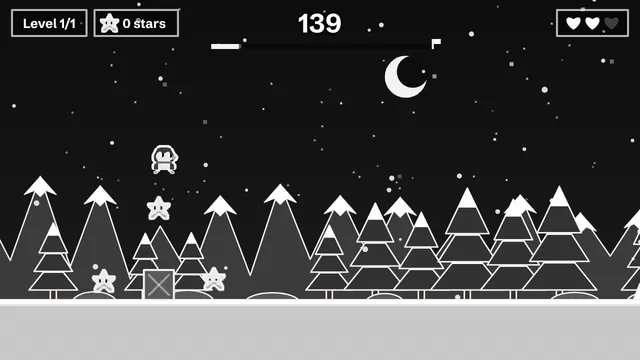
  • Screenshot: Summit Rush

    Summit Rush

    A mini-game for a trade-show booth or newsletter: 60 seconds, a high score, ready for a prize draw.

    Use as a template →
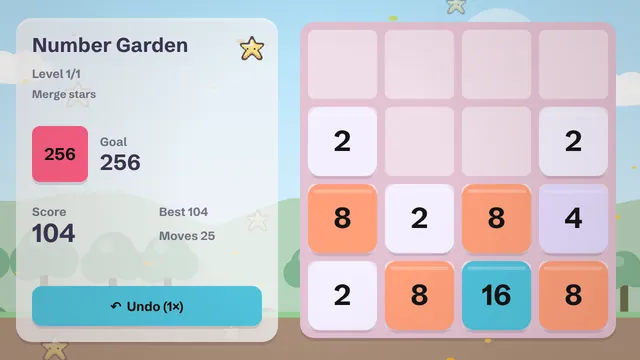
  • Screenshot: Number Garden

    Number Garden

    A number puzzle with its own theme: slide tiles, merge them, reach the target.

    Use as a template →
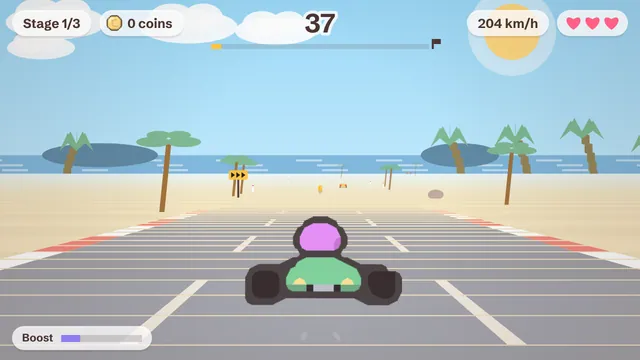
  • Screenshot: Coast Racer

    Coast Racer

    Racing along the coast: switch lanes, grab boosts, beat your rival in the final race.

    Use as a template →

Way 1: visual engines with event logic

You assemble rules from building blocks such as “when the character touches a coin, add one to the score”. You place graphics, set up collisions and animations yourself. That is real game design and it gives you enormous freedom. The price is time: until even a small game runs smoothly, a few weekends of tutorials go by quickly.

Way 2: block coding

Colorful blocks that snap together like puzzle pieces are a wonderful first step into logical thinking, especially for children. Technically it is still programming, just without typos. For learning it is hard to beat; for a quick gift it is usually too much work.

Way 3: AI that writes the code

Some tools ask a language model to produce the entire game program. It is impressively quick, but there are catches: generated code can contain bugs, results vary from attempt to attempt, and changing something means understanding the code or asking the model again. Running unfamiliar code in a browser also raises security questions.

Way 4: a guided builder with a game description

This is how we work. You make five decisions and describe your idea. Claude does not write program lines; it writes a structured game description with characters, levels, texts and difficulty. The engine that plays it is already programmed and tested, which makes results dependable and prices predictable.

The four ways at a glance
WayLearning effortTime to a first gameFreedom
Visual enginehighdays to weeksvery high
Block codingmediumhours to daysmedium
AI writes codelowminuteshigh, but unpredictable
Guided buildervery lowminuteswithin the genres

When you should learn an engine instead

If you want to learn game development as a hobby or career, invent a mechanic that does not exist yet or craft every animation yourself, a conventional engine is the way. Our builder covers the cases where the game is a means to an end: a gift, a quiz for the class, a mini game for a trade-show booth, an evening with friends.

What “no code” means for us, concretely

  • You choose one of 9 genres: 7 compact arcade genres plus 2 world projects, from the endless runner to a 3D open-world city.
  • You set size, style and extras with a click and see the price up front.
  • You describe your idea in a sentence, if you like with an occasion and a first name.
  • A mini runner costs 40 credits and is included once a month in the free plan.
  • You share the result with a link. Nothing to install.

The step-by-step version with a worked example is our guide make a game without coding. How the AI fits in is explained on the AI game maker page.

How it works with the builder

  1. Pick a genre

    7 compact genres and 2 world projects to choose from.

  2. Pick a size

    Mini, small, medium or large – the number of levels and play time are on each card.

  3. Pick a style

    Five graphic styles, swappable later for one credit.

  4. Pick extras

    Sound, high score, saving, touch or gamepad controls with a clear price in credits.

  5. Write the idea and build

    One sentence is enough. Confirm the price, wait for the build, play.

What it costs

Every game has a price in credits that you see before anything is built. This is what Endless Runner costs without extras:

SizeWhat you getPlay timePrice
Mini1 level2–3 min40 credits
Small3 levels + menu≈ 10 min100 credits
Medium5–8 levels, power-ups≈ 30 min250 credits
Large15+ levels, story, saving1–2 hrs700 credits

How to get credits

  • Free: 40 credits a month – enough for one mini game (40 credits), no payment details needed.
  • Starter: €9.99 a month, 300 credits – enough for about 3 games at the Small size.
  • Creator: €24.99 a month, 900 credits – enough for about 9 games at the Small size.
  • Credit packs, no subscription: 250 for €9.99, 1,000 for €34.99, 5,000 for €169, each valid for 3 years.

Prices in euros including 19% German VAT. Chat edits cost extra – you see that price up front, too. Compare all plans →

FAQ

Will I learn programming this way?

No, and that is not the goal. If you want to learn programming, block coding or a visual engine is a better start.

Can I see my game’s code?

Your game is a description that our engine plays. Export as a stand-alone HTML5 package is planned for the higher plans.

Why does the AI not write code?

Because a tested engine is more reliable, safer and cheaper. Claude concentrates on what it does well: ideas, characters, texts and balance.

You might also like

Ready to make your own game?

Five steps, one clear price, one link to share. It runs in the browser, on phones and computers alike.

Try the builder
No-Code Game Maker: 4 Ways Compared | playing.company