Skip to content
playing.company

HTML5 export

An HTML5 game maker that gives you the file

Describe your game, let Claude build it, then download it as a single HTML file. The file runs on its own, without a server and without any network connection. Games are tied to playing.company by default; the export is the licensed exception, and our terms (§ 11) set what you may do with the file. HTML5 export is part of the Creator plan and above.

Build a game to exportEndless Runner · Small: price of 100 credits

You see the price before anything is built. If a build fails technically, the credits reserved for it are credited back.

Games that suit your own website

Small, quick-loading games work best on a page of your own: a runner for a landing page, a quiz for a newsletter.

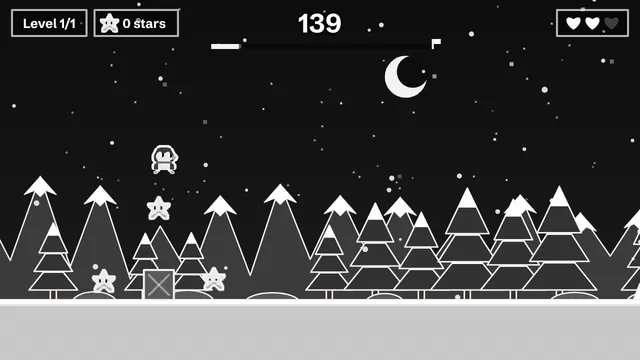
  • Screenshot: Summit Rush

    Summit Rush

    A mini-game for a trade-show booth or newsletter: 60 seconds, a high score, ready for a prize draw.

    Use as a template →
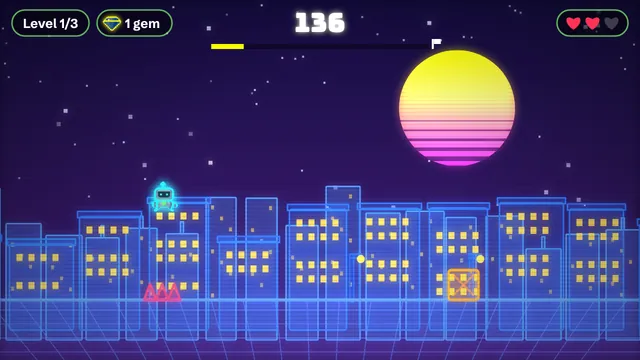
  • Screenshot: Neon Sprint

    Neon Sprint

    An endless runner in a neon city: jump, duck and collect gems.

    Use as a template →
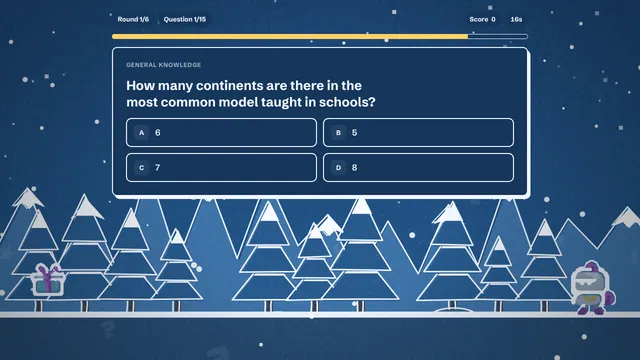
  • Screenshot: The Big Family Christmas Quiz

    The Big Family Christmas Quiz

    15 questions about Christmas with a timer and streak bonus, made for a family evening.

    Use as a template →

What is in the file

The export is one HTML file. Inside it you will find everything the game needs: the game engine, the full description of your game with all texts and every translation, and a small language picker if the game has two or more languages. There is nothing to install and nothing to unzip.

  • Runs without a network: the file blocks all outgoing connections, so it works offline and sends nothing anywhere.
  • All languages included: every translation travels inside the file. With two or more languages a picker appears next to the game.
  • AI label stays visible: the notice that the game was made with AI remains in the file, as the EU AI Act asks.
  • Scores stay on the device: high scores and save games are kept locally in the player’s browser, as on our own game page.

Where the file can go

Games run in the browser on playing.company and are tied to the platform by default. The HTML5 export is the licensed exception for the Creator plan and above: you may use the file within the rights in our terms (§ 11). The AI label has to stay in it, and the runtime inside remains our property. Where exactly a file can be shown depends on those terms and on the rules of the place you put it.

  • Your own website: upload the file and show it inside an iframe on any page, for example with a single line such as <iframe src="game.html" width="800" height="500">. The text around it is yours.
  • Learning platforms and intranets: some let you upload an HTML file or embed it from your own file store. Check what yours allows.
  • Game portals for browser games: some accept a single HTML file or a zip containing one. Read the portal’s upload rules first.
  • Offline: open it from a USB stick or send it by email, and it still works in any current browser.

One thing to know: the exported file asks search engines not to index it on its own. That is deliberate, because a bare game file has no text for people to find. If you want visitors from search, put the game on a page of your own with a headline, a short description and a link back to your site.

Size and speed

Arcade games, quizzes and stories use a lean version of our player, which keeps the file small and quick to load on a phone. Open-world projects need the 3D engine and therefore produce a larger file; they suit a dedicated page better than a banner slot.

Plans and rights

HTML5 export and commercial use come with the Creator plan and every higher plan. A source-code export doesn’t exist yet. If you plan to sell a game or run ads in it, check the rights of any assets you add yourself and keep the AI notice visible.

From idea to file

Smaller games build faster than larger ones. Add up to 20 languages if your audience needs them (see the multilingual game maker), test the game in the browser, then press export. For a first look at the builder, read how to make a game without coding.

From idea to HTML5 file in five steps

  1. Build your game

    Pick genre, size and style, describe the idea in a sentence and let Claude build it.

  2. Play-test in the browser

    Open the game in the studio and play it once. Ask for changes via chat if something feels off.

  3. Add languages if needed

    Extra languages are part of the build. All of them are included in the export.

  4. Press “Export HTML5”

    On the Export tab of your game. The button is available from the Creator plan.

  5. Use it within the licence

    Put the file where our terms allow, for example on your own website or in a page with an iframe.

What it costs

Every game has a price in credits that you see before anything is built. This is what Endless Runner costs without extras:

SizeWhat you getPlay timePrice
Mini1 level2–3 min40 credits
Small3 levels + menu≈ 10 min100 credits
Medium5–8 levels, power-ups≈ 30 min250 credits
Large15+ levels, story, saving1–2 hrs700 credits

How to get credits

  • Free: 40 credits a month – enough for one mini game (40 credits), no payment details needed.
  • Starter: €9.99 a month, 300 credits – enough for about 3 games at the Small size.
  • Creator: €24.99 a month, 900 credits – enough for about 9 games at the Small size.
  • Credit packs, no subscription: 250 for €9.99, 1,000 for €34.99, 5,000 for €169, each valid for 3 years.

Prices in euros including 19% German VAT. Chat edits cost extra – you see that price up front, too. Compare all plans →

FAQ

Do I need to know HTML to use the export?

No. You download one file and upload it. If you want to embed it in a page, you add a single iframe line, or ask whoever runs your website to do it.

Does the exported game need an internet connection?

No. The file contains everything and blocks all network connections. Only AI music, AI voices and trailers, which live on our servers, are left out.

Which plan do I need?

HTML5 export starts with the Creator plan. Lower plans can still share a game through a link.

Can I sell or monetise an exported game?

Commercial use is part of the Creator plan and above. Check the rights of any extra assets you add yourself, and keep the AI notice visible.

Is a direct upload to game stores available?

Not yet. An export for third-party platforms is planned as an intention only; there is no promise about a date or prices.

You might also like

Ready to make your own game?

Five steps, one clear price, one link to share. It runs in the browser, on phones and computers alike.

Build a game to export
HTML5 Game Maker, No Coding Needed | playing.company